

How it works
At a high level, this is how the process works when you initiate e-Transfer with FlinksPay as your customer’s payment method:-
The customer is asked to confirm their transfer. From there, they’re redirected to the FlinksPay application when asked to select their bank.
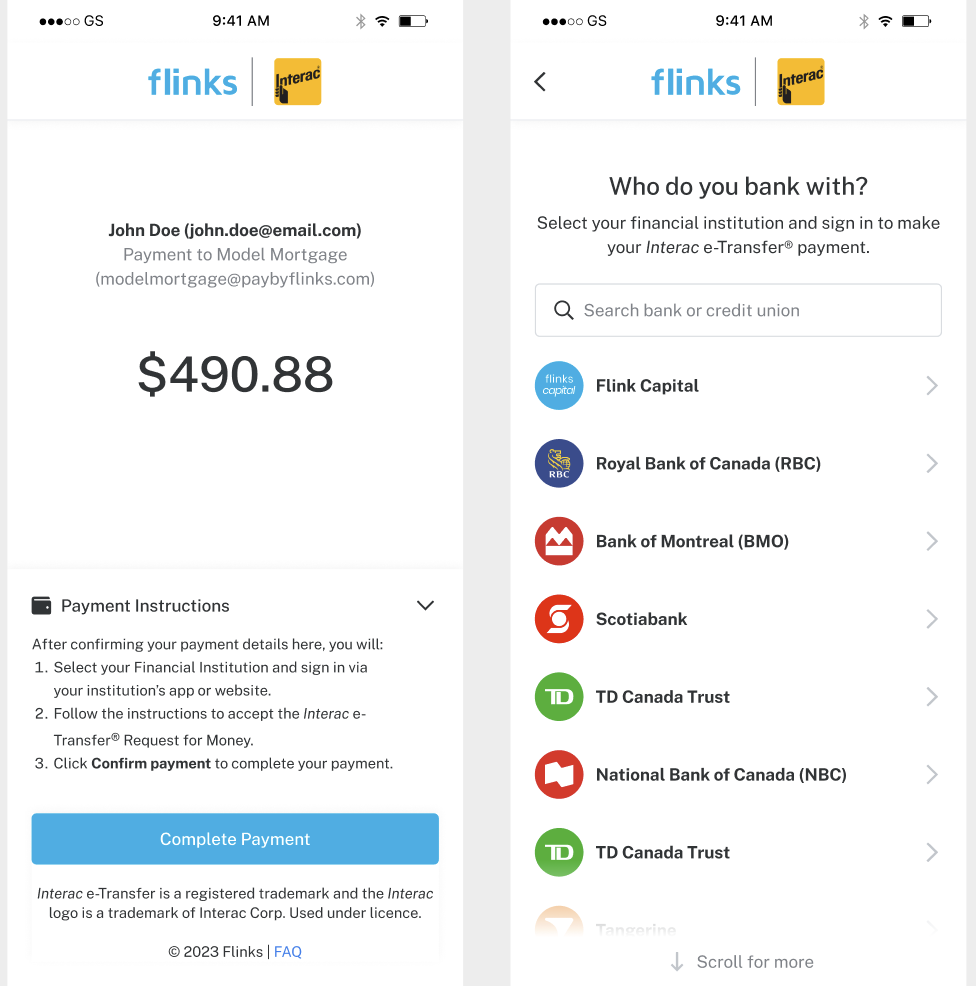
- We initiate an Interac money transfer request to the customer’s bank. We provide information about the transaction, including the payee, transaction amount, reference number, and more.
-
The customer is asked to perform the following actions:
-
Enter their login credentials to authenticate with their bank.
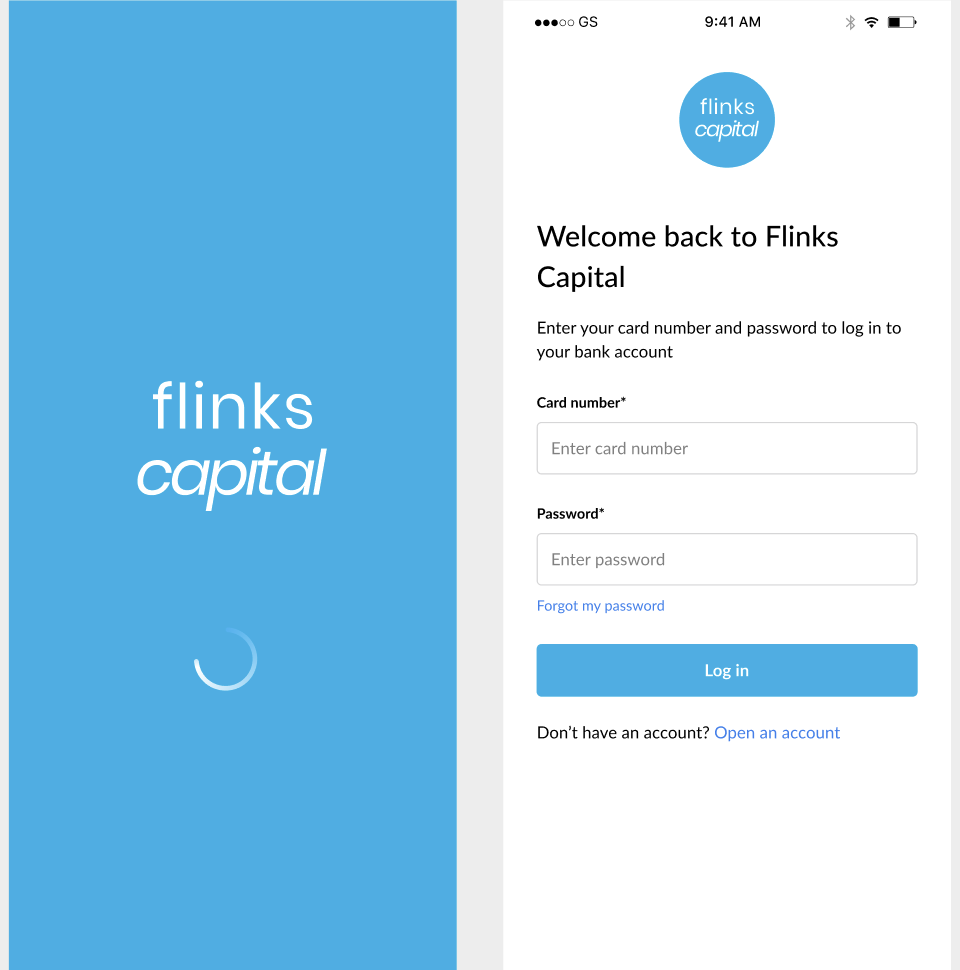
- In some cases, they may be asked to complete multi-factor authentication (MFA).
-
Accept the money transfer request once they’re logged in.
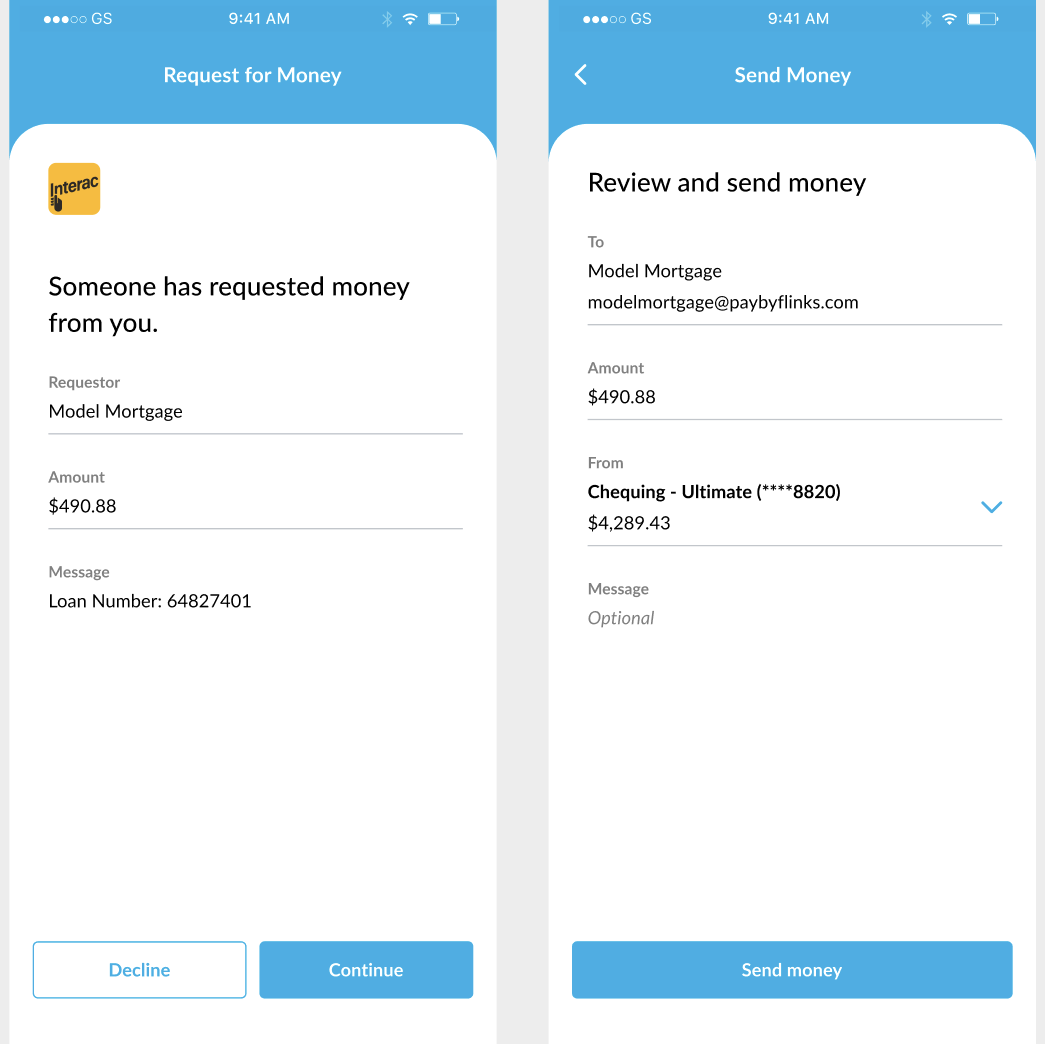
- The customer’s bank notifies Flinks that the customer has accepted the request, then debits the from the customer’s account.
-
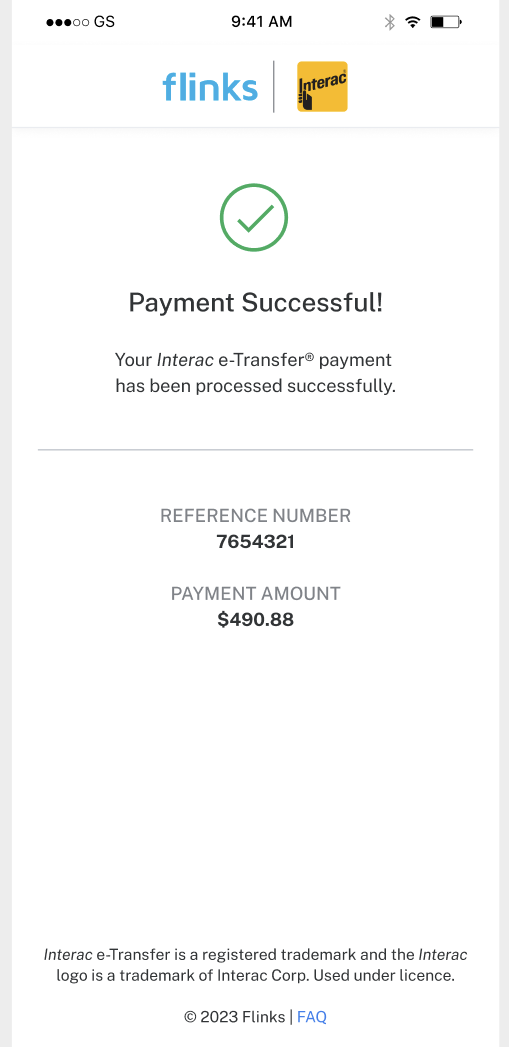
The customer’s bank displays a confirmation message stating that the transaction is complete.
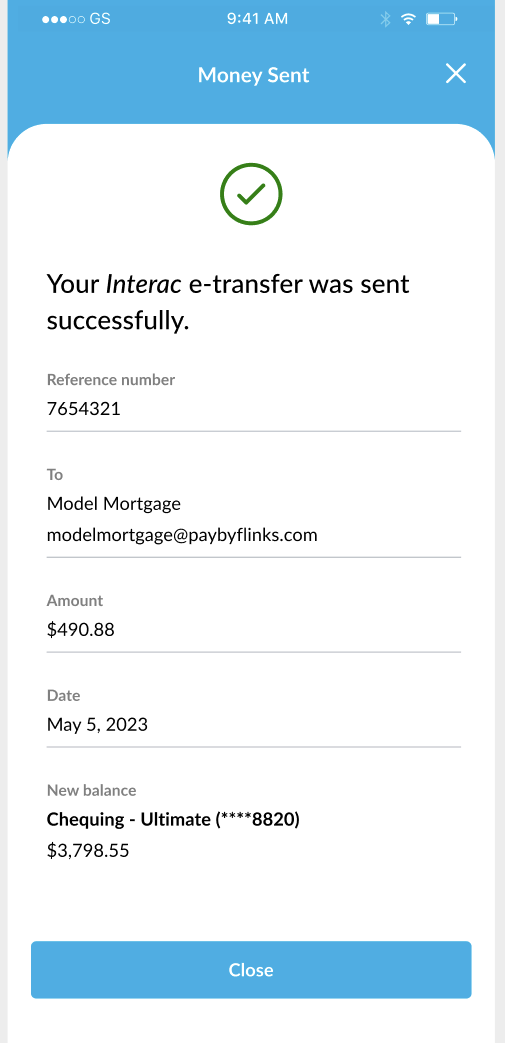
-
You can now redirect the customer back to your site (or close the application).
-
Enter their login credentials to authenticate with their bank.
- At the end of each day, we consolidate all of your payments and send it, using an electronic funds transfer (EFT), to the account that you have with your financial institution.
- We complete a comprehensive reconciliation of all transactions and investigate any discrepancies.
-
We email you an end-of-day (EOD) report that contains your consolidated daily payments. The report contains the following information about each payment:
- referenceId to identify the transaction
- Transaction amount
- Customer name
- Customer email address
- Date that the Interac e-transfer money request was created on
- Date that the transaction was completed on
Set up Flinks Pay using E-Transfer as your payment method
FlinksPay is a payment processing service that allows your customers to transfer funds to you using Interac e-Transfer Request Money. Complete the following steps to set up FlinksPay using e-transfer as the payment type:-
The FlinksPay application is hosted using a direct URL that requires an active session to initiate the payment request. Determine where you want to embed the FlinksPay application:
- Directly on your website, initiating when a customer is making a purchase.
- Within a pre-existing messaging system that you’ve already deployed on your website.
- By sending an email to a user that contains a link to the app (requires no integration on your end).
- To discuss an option that’s not listed above, contact your Flinks Representative.
-
We will walk you through our standard onboarding and verification process, which typically takes 1-2 weeks. After this is complete, we will provide you with a unique
instanceandcredentialsthat you can use to start making transactions. - Start running tests and working on your integration using our Sandbox environment.
- Provide us with a high-quality image of your company logo and let us know about any additional customizations you want to make. To discuss customization options, contact your Flinks Representative.
-
To start making transactions, follow the instructions below:
- Validate your identity and initiate the process by calling the
/Authorizeendpoint. You’ll receive anaccess_tokenif the request is successful. - Pass the
access_token, credentials, and instance to initiate a session with the application. If it’s successful, you’ll receive asessionId. - Use the
sessionIdto finalize and activate the Payment Request and receive arequestId. - Use the
sessionIdto launch the Flinks Pay application by appending it to the base application’s URL.
- Validate your identity and initiate the process by calling the
Make a payment
To start making transactions, follow the instructions below:-
Validate your identity and initiate the process by calling the
/Authorizeendpoint. You’ll receive anaccess_tokenif the request is successful. -
Pass the
access_token,credentials, andinstanceto initiate a session with the application. If it’s successful, you’ll receive asessionId. -
Use the
sessionIdto finalize and activate the Payment Request and receive arequestId. -
Use the
sessionIdto launch the Flinks Pay application by appending it to the base application’s URL.
Reconcile your payments
Reconcile and review the status of your payments using one (or both) of the following methods:- Review the daily reconciliation files that we provide in your Payments Dashboard. You can also receive these files automatically by email. Please reach out to your Flinks Representative for more information.
- Use the following API endpoints to review customer activity and payment information: