

- In the Dashboard, navigate to the Insights screen.
- Locate the name of the customer that you want to review the statement verification for, then select that row.
- Go to the Document Check tab
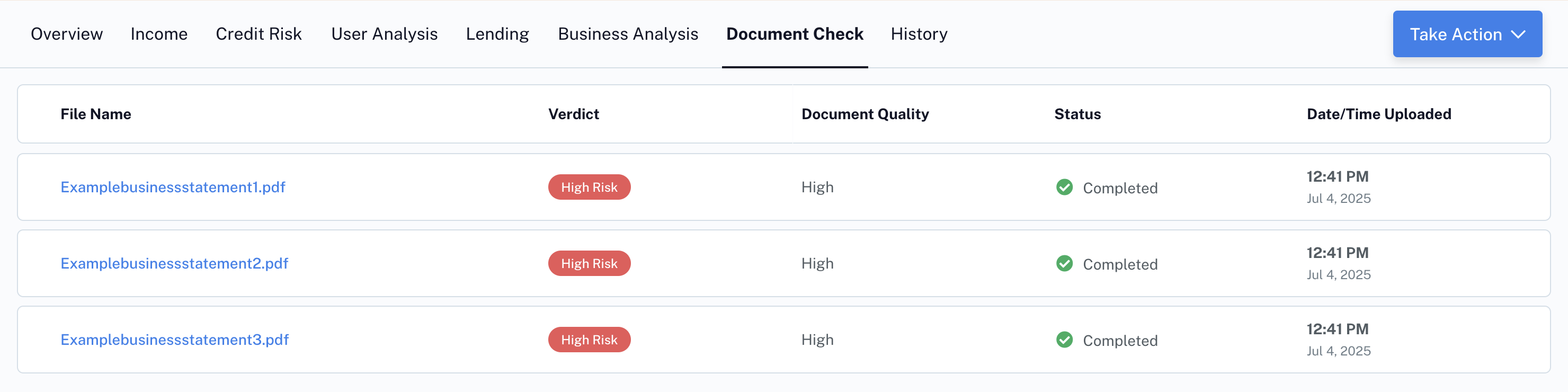
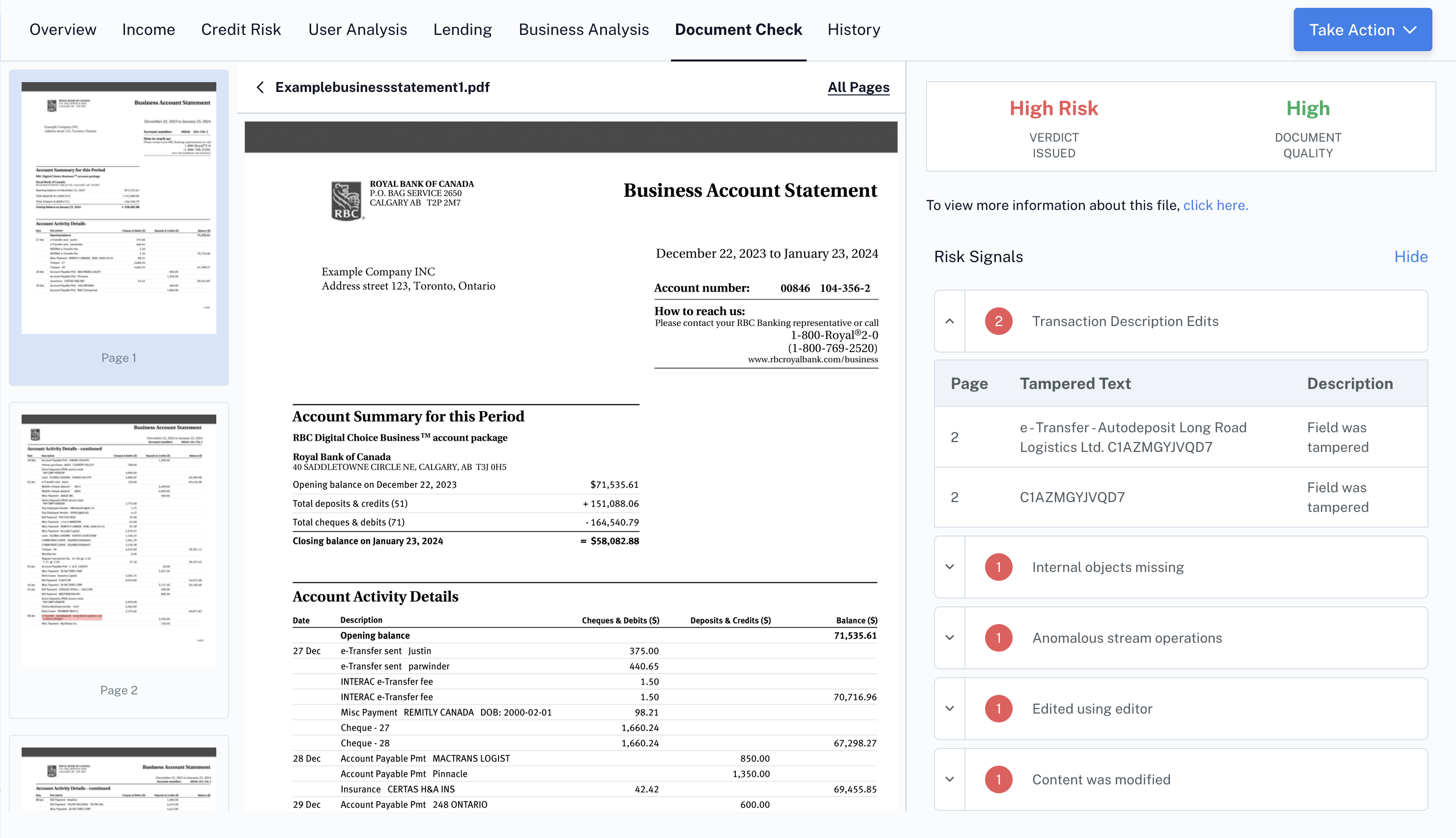
- This will show a list of all files uploaded for that user, including fraud verdict and document quality.
Receive fraud signals by API connection
To receive fraud signals by API, call the /FraudAnalysis endpoint.