> ## Documentation Index
> Fetch the complete documentation index at: https://docs.flinks.com/llms.txt
> Use this file to discover all available pages before exploring further.
# Check for Fraud
> Review fraud verification results for uploaded bank statements in the Flinks Dashboard or via API.
Flinks checks every bank statement that is uploaded through [Flinks Upload](./flinks-upload#flinks-upload) for several signs of fraud. Complete the following steps to check the verification results:
1. In the Dashboard, navigate to the Insights screen.
2. Locate the name of the customer that you want to review the statement verification for, then select that row.
3. Go to the Document Check tab
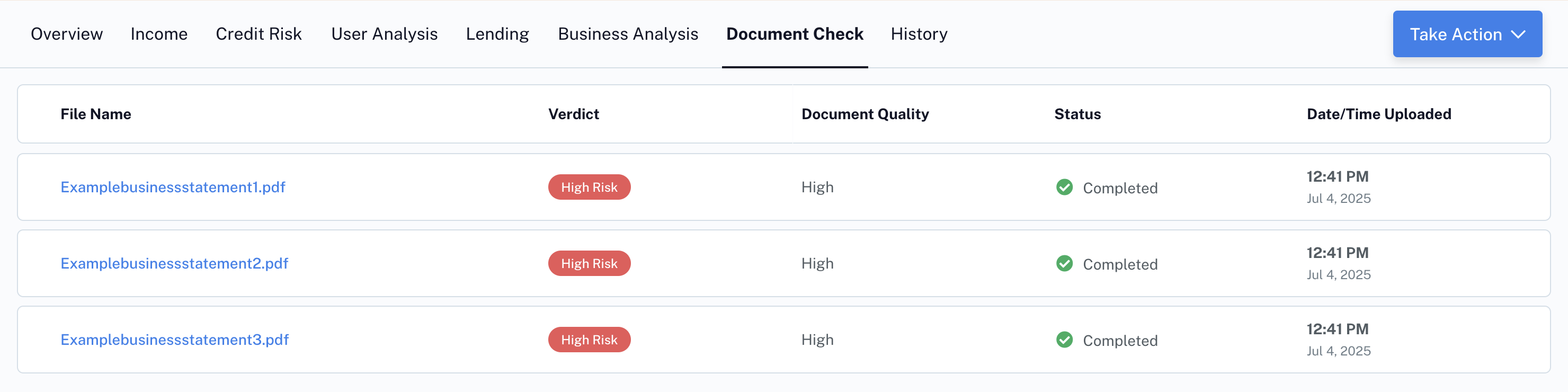
4. This will show a list of all files uploaded for that user, including fraud verdict and document quality.
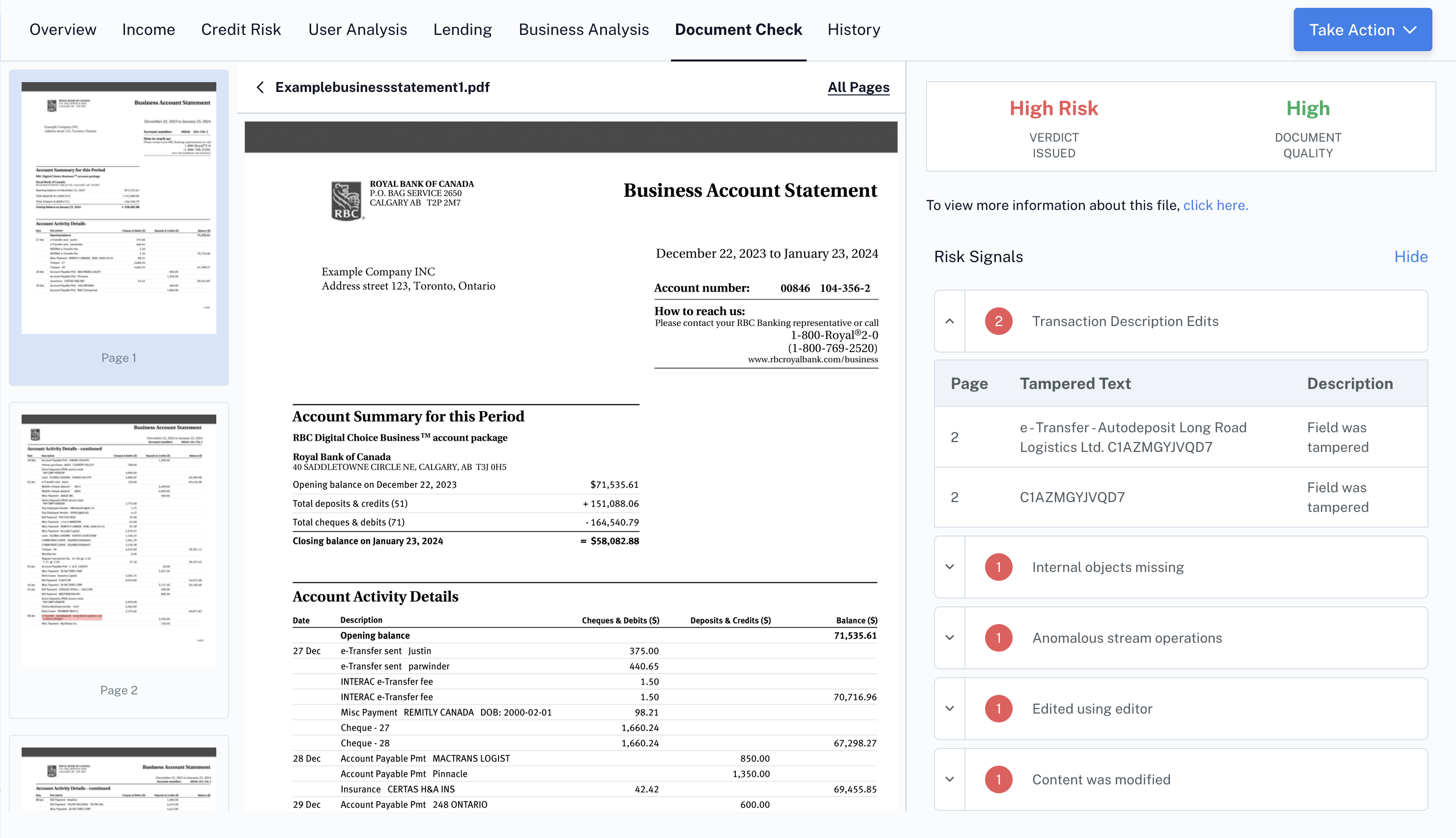
 You can review each file by clicking on it to see the underlying risk and trust signals.
{" "}
You can review each file by clicking on it to see the underlying risk and trust signals.
{" "}
Receive fraud signals by API connection
To receive fraud signals by API, call the [/FraudAnalysis](../../api/upload/endpoints/fraud/fraud-analysis) endpoint.